
Can LCD Screens Burn In? LCD Image Retention vs OLED Burn-In
Quick answer: LCD screens do not burn in the way OLED, plasma and CRT screens can. Those displays emit their own light, and pixels that are lit more often age faster, leaving a permanent shadow. An LCD only switches light from a backlight, so it has no emitters to wear unevenly. What an LCD can show is image retention, also called image sticking or ghosting: a faint copy of an image that was held for a long time. On a correctly driven LCD it is usually temporary and fades once the picture changes.
Retention becomes persistent mainly when the drive has a DC imbalance, the common voltage (VCOM) is set wrongly, or a static high-contrast image is shown for very long periods at high temperature. These are design and drive issues that SuccessLCD reviews with OEM customers before a display goes into production.
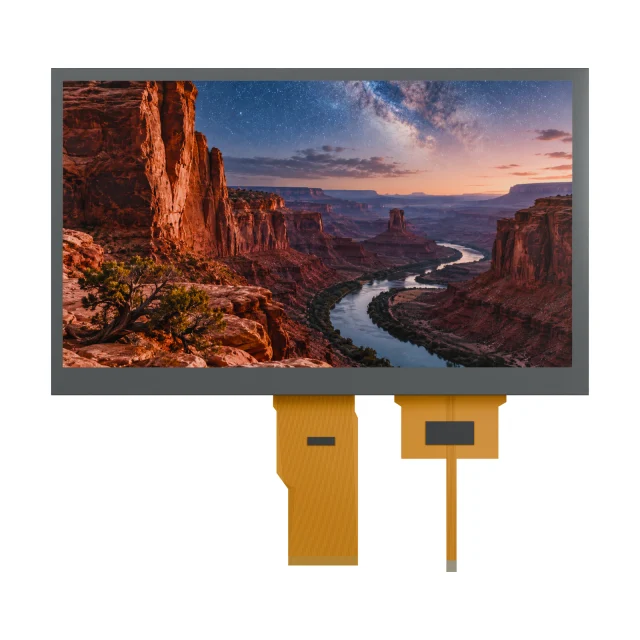
LCD Vs OLED Vs Plasma: Who Can Burn In?
| Technology | How it makes light | Permanent burn-in? | What you may see |
|---|---|---|---|
| LCD (TFT, segment, character) | Backlight or ambient light, switched by liquid crystal | Not in normal use | Temporary image retention after long static images |
| OLED | Each pixel emits light; organic materials age with use | Yes, with long static content | Permanent shadows of logos, status bars and keyboards |
| Plasma and CRT | Phosphors excited in each cell or spot | Yes | Permanent ghost images from static content |
| E-paper | Reflective pigments; no emission | No | Ghosting between updates, cleared by a full refresh |
For a broader comparison of contrast, sunlight readability and lifetime, see OLED vs TFT LCD and e-paper vs LCD.
Why LCD Image Retention Happens
The liquid crystal in each pixel must be driven by an alternating voltage with no average DC component. When the same high-contrast image stays on screen, small residual DC components and the movement of ions inside the liquid crystal layer can build up locally. The affected pixels then respond slightly differently from their neighbours, and the old pattern shows faintly, most visibly on a uniform gray screen.
- Static images: menus, logos, status bars and alarm banners held for hours.
- DC imbalance and VCOM: an incorrect common voltage or asymmetric drive makes retention stronger and slower to clear.
- Temperature: heat speeds up ion movement; long static content in a hot enclosure is the worst case.
- Segment LCDs: must also be AC driven; a DC component causes fading and residual patterns, as explained in segment LCD duty and bias.
Image Retention Or Something Else?
| What you see | Likely cause | Next step |
|---|---|---|
| Faint copy of the previous screen that fades over minutes | Short-term image retention | Normal behaviour to monitor; reduce static content |
| Copy that remains after a long rest | Long-term retention from DC imbalance or VCOM | Check drive settings; see the TFT image retention test method |
| Straight lines that do not depend on the image | Connection, bonding or timing problem | See common LCD display problems |
| Dark or rainbow spot that grew after pressure or a drop | Pressure damage or cracked glass | Replace the display |
| Uneven clouds or color patches | Mura or backlight non-uniformity | See the mura case study |
How To Clear Image Retention On An LCD
- Show changing content, or a full white or mid-gray screen, for a while.
- Switch the display off and leave it to rest; retention usually fades with time.
- If the product has a screen saver or idle mode, enable it.
- If retention returns quickly after every static period, the cause is in the drive or UI design, not in the user’s habits.
How Product Designers Prevent It
- Design the UI for movement: avoid full-time high-contrast logos and borders; dim or shift static elements slightly; use an idle screen.
- Set the drive correctly: tune VCOM on the actual panel and keep the drive DC-balanced, using the inversion method the panel was designed for.
- Manage temperature: keep the panel within its rated range and away from heat sources in the enclosure.
- Specify and test: include an image retention test in the sample plan, as described in the sample validation checklist.
For displays that must show the same layout for years, such as instrument panels and control HMIs, LCD is often chosen over OLED precisely because it does not suffer permanent burn-in. SuccessLCD supplies TFT LCD modules and monochrome LCDs for this kind of long-running equipment.
Video: Can LCD Screens Burn In?
This SuccessLCD explainer compares LCD image retention with OLED, plasma and CRT burn-in, shows why retention happens, how to tell it from other defects and how to clear and prevent it, with real SuccessLCD segment LCD samples.
LCD Burn-In FAQs
Can LCD screens burn in?
Not in the permanent way OLED, plasma and CRT screens can. LCDs can show temporary image retention after a static image is held for a long time; on a correctly driven LCD it normally fades when the image changes.
What is the difference between image retention and burn-in?
Image retention is a temporary residual image caused by charge and ion effects in the liquid crystal; it fades. Burn-in is permanent uneven ageing of light-emitting pixels, which happens in OLED, plasma and CRT displays.
How do I fix image retention on an LCD monitor or display?
Display changing content or a uniform white or gray screen for a while, or switch the display off and let it rest. If retention keeps returning quickly, check the drive settings or contact the display supplier.
Is LCD better than OLED for static images?
Yes. Because an LCD does not emit light from each pixel, static logos and status bars do not wear the display unevenly. That is one reason LCDs are common in industrial HMIs, instruments and signage that show fixed layouts.
Can a segment LCD show a burned-in image?
A segment LCD driven with a correct AC waveform does not. A DC component on the glass, for example from a firmware or driver fault, can cause fading and residual patterns and may damage the display permanently.
Seeing retention on a display in your product? Send a photo on a gray screen, the static content, operating temperature and drive settings. Send the details for an engineering review, or read the TFT LCD image retention guide. Planning a new design? See custom TFT display engineering.