
LCD Brightness In Nits: 300 Vs 500 Vs 1000 Nits Explained
Quick answer: a nit is one candela per square metre (1 cd/m²), the luminance a display surface emits toward the viewer. In SuccessLCD’s planning ranges for TFT LCD modules, about 250–500 nits suits controlled indoor lighting, 500–700 nits suits bright rooms, factory floors and near-window equipment, 700–1000 nits suits outdoor shade and high ambient light, and direct sunlight may need 1000 nits or more together with reflection control.
So 300 nits is usually enough indoors, while 500 nits gives clear headroom in bright rooms but is rarely enough on its own in direct sun. The brightness number is only half of readability: reflections from the cover glass and screen surface decide how much of that brightness the user actually sees.
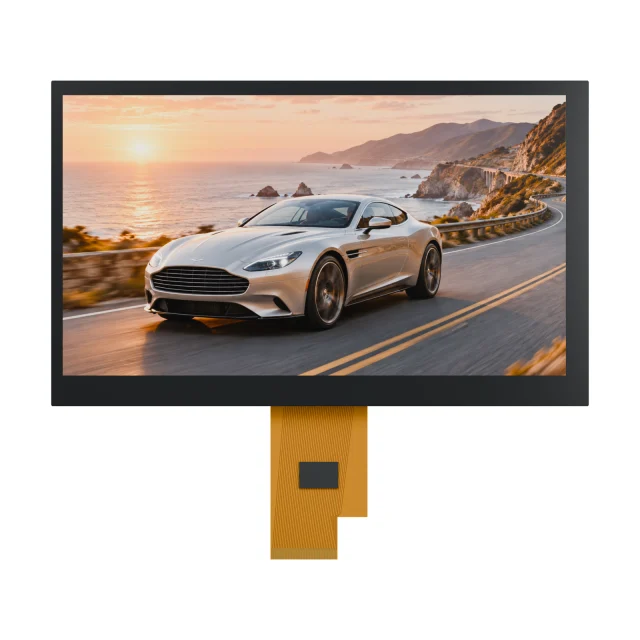
What A Nit Means On An LCD Datasheet
Nits and cd/m² are the same unit. On an LCD module datasheet, check three details before comparing two numbers:
- Typical or minimum. A typical value describes an average part; a minimum value is what every part should reach. Design margins should use the minimum when one is given.
- Where and how it was measured. Brightness is usually measured at the center of the screen, at a stated backlight current and temperature. Uniformity across the screen is a separate figure.
- With or without the front stack. A bare module figure does not include the touch panel, cover glass or protective window. Each added layer passes slightly less light and adds surfaces that reflect.
300 Vs 500 Vs 1000 Nits Compared
| Brightness | Typical environment | What else usually matters |
|---|---|---|
| About 250–500 nits (for example 300 nits) | Controlled indoor lighting: offices, labs, indoor appliances and instruments | Reflections are usually easy to control; dim the backlight at night to save power |
| About 500–700 nits (for example 500 nits) | Bright indoor or semi-outdoor use: factory floors, near-window equipment, portable instruments | Anti-glare surface, viewing angle and cover-glass reflection |
| About 700–1000 nits | Outdoor shade and high ambient light | Often paired with wide viewing angle, cover glass review and optical bonding |
| 1000 nits and above | Direct sunlight | Reflection control, thermal design, power budget and backlight life must be validated together |
These are planning values, not product guarantees. Final targets should be validated with the exact module and finished front stack in the real lighting. A 500-nit display is about 1.7 times the luminance of a 300-nit display, but because the eye responds to brightness roughly logarithmically, it looks clearly brighter rather than 1.7 times brighter.
Why Reflections Matter As Much As Nits
Outdoors, sunlight reflected from the screen adds the same light to both bright and dark pixels, which washes out contrast. The readable contrast in ambient light can be written as:
Raising Lwhite (more nits) helps, but lowering Lreflected often helps just as much and costs no power. Common methods are anti-reflection and anti-glare treatments, optical bonding instead of an air gap, and a transflective LCD that uses ambient light as part of the image. See sunlight-readable TFT LCD displays for the full outdoor approach.
What Higher Brightness Costs
- Power: backlight power rises roughly with brightness at a given LED efficiency, and is usually the largest load in a TFT module.
- Heat: more LED current means more heat in the enclosure, which also affects the liquid crystal and nearby electronics.
- Backlight life: running LEDs harder generally shortens the time until brightness falls to a stated fraction of its initial value. Review the lifetime basis for the quoted configuration in the LCD backlight module guide.
- Night use: a very bright display needs dimming, often with an ambient light sensor, so it is comfortable in the dark.
Video: 300 vs 500 vs 1000 Nits And Reflections
This one-minute SuccessLCD explainer covers what a nit means on a datasheet, the 300, 500 and 1000-nit planning ranges, why reflections matter as much as brightness, and what higher brightness costs, with real TFT samples.
SuccessLCD Catalogue Examples
| Reference | Display | Stated brightness | Notes |
|---|---|---|---|
| S35001D | 3.5-inch, 320 × 240 transmissive normally-black TFT with capacitive touch | 850 cd/m² typical surface luminance | Anti-glare top polarizer |
| COM31H3P76ULC | 3.1-inch, 480 × 480 round TFT | 420 cd/m² minimum, 600 cd/m² typical center brightness | At 14 mA backlight current and 25 °C; source specification marked tentative |
| S350FPQI and S350FLVH-01 | 3.5-inch transflective TFTs | Project-specific | Use reflected ambient light in bright conditions instead of relying only on the backlight |
Final brightness, front stack and controlled specification are confirmed for each project. Browse high-brightness TFT LCD modules for more options.
LCD Brightness FAQs
Is 300 nits bright enough?
For controlled indoor lighting, usually yes. SuccessLCD’s planning range for indoor equipment is about 250–500 nits. Near windows, on factory floors or outdoors, 300 nits is usually too low without strong reflection control.
Is 500 nits good for outdoor use?
500 nits works for bright indoor and some semi-outdoor use. Outdoor shade typically calls for about 700–1000 nits, and direct sunlight may need 1000 nits or more, combined with anti-reflection, optical bonding or a transflective design.
What is 1 nit equal to?
One nit equals one candela per square metre (1 cd/m²). The two units are interchangeable on display datasheets.
How many nits does a sunlight-readable display need?
There is no single number. Many outdoor projects start planning at 700–1000 nits and direct-sun designs at 1000 nits or more, but readability depends just as much on reflections, viewing angle and the cover glass, so it must be validated in real sunlight.
Does a brighter LCD use more power?
Yes. Backlight power rises roughly with brightness, and higher LED current also adds heat and can shorten backlight life. Dimming the backlight when full brightness is not needed saves power.
Need a brightness target for your product? Send the ambient light conditions, cover-glass and touch stack, power budget and enclosure details. See what to include in a TFT LCD module RFQ or send your display requirements for an engineering review. Browse TFT LCD display modules, or see custom TFT display options when a standard module is not bright enough.