
16×1, 8×1 and 40×2 Character LCDs: Addressing, Controllers and Uses
Quick answer: 8×1, 16×1 and 40×2 character LCDs use the same HD44780-type controllers as the common 16×2 and 20×4 modules, but their memory addressing catches many designers out. An 8×1 is the simplest: eight characters at addresses 0x00 to 0x07. Many 16×1 modules are wired as two 8-character halves, so characters 9 to 16 start at address 0x40, not 0x08. A 40×2 uses the controller’s full 80-character memory: 0x00 to 0x27 on line 1 and 0x40 to 0x67 on line 2.
Check the module’s datasheet for the duty ratio before writing code: 1/16 duty on a one-line display means the split addressing.
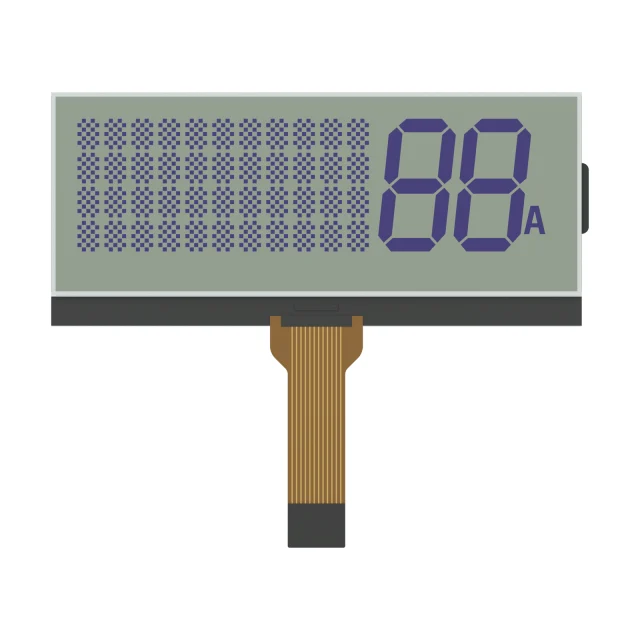
Character LCD Formats And Addresses
| Format | Line 1 addresses | Line 2 addresses | Controller mode and duty | Driver note |
|---|---|---|---|---|
| 8×1 | 0x00–0x07 | – | 1-line, 1/8 duty (1/11 with a 5×10 font) | An HD44780-type controller drives 8 characters on its own |
| 16×1, split type | 0x00–0x07, then 0x40–0x47 | – | 2-line, 1/16 duty | Controller alone; the second “line” is the right half of the row |
| 16×1, linear type | 0x00–0x0F | – | 1-line, 1/8 duty (1/11 with a 5×10 font) | Needs extra segment outputs from an extension driver |
| 16×2 | 0x00–0x0F | 0x40–0x4F | 2-line, 1/16 duty | Needs extra segment outputs |
| 20×2 | 0x00–0x13 | 0x40–0x53 | 2-line, 1/16 duty | Needs extra segment outputs |
| 24×2 | 0x00–0x17 | 0x40–0x57 | 2-line, 1/16 duty | Needs extra segment outputs |
| 40×2 | 0x00–0x27 | 0x40–0x67 | 2-line, 1/16 duty | Uses all 80 characters of display memory |
An HD44780-type controller has 16 common and 40 segment outputs. Forty segment lines cover eight 5-dot-wide characters, which is why it can drive an 8×1 or a split 16×1 alone, while wider lines need extension drivers or a controller with more outputs. A 40×4 module uses two controller sections, each addressed like a 40×2. The 20×4 and 16×4 addresses are listed in the HD44780 commands section of the character LCD guide.
The 16×1 Split-Address Problem
On the common split 16×1, the controller treats the single row of glass as two lines of eight characters. The left half is line 1 (0x00–0x07) and the right half is line 2 (0x40–0x47). Two things follow:
- The controller must be set to 2-line mode (function set 0x28 in 4-bit mode or 0x38 in 8-bit mode), even though the glass has one row. In 1-line mode the right half stays blank.
- Text does not flow from character 8 to character 9. After eight characters, send the Set DDRAM address command 0xC0 to continue on the right half.
To tell the two types apart without a datasheet, initialize in 2-line mode, clear the display and write 16 characters in a row. If only the first eight appear, the module is the split type. Many character LCD libraries handle it if the display is declared as 8 columns × 2 lines.
8×1 Modules
An 8×1 is the smallest common character format. One controller drives it directly in 1-line mode, and it is the format where the HD44780’s optional 5×10 dot font is most useful, because taller characters improve readability on a short line. The 5×10 font is available only in 1-line mode: function set 0x34 in 8-bit mode or 0x24 in 4-bit mode. Typical uses are compact meters, timers and single-value readouts. If the content is only digits and fixed symbols, a segment LCD may be cheaper and easier to read.
40×2 Modules
A 40×2 shows 80 characters, exactly the controller’s display memory, so there is no hidden area beyond the visible line. On narrower displays, each line still has 40 memory positions and the display shift command scrolls the visible window; on a 40×2 the window already covers the whole line, so scrolling text is better done by rewriting it in firmware.
- Wide outline: check the mounting holes, bezel opening and connector position on the drawing, because a long glass is more sensitive to uneven support.
- Backlight: a longer LED backlight draws more current than on a 16×2; check the supply budget.
- Typical uses: office and test equipment, terminals and panels that show a full sentence or several values per line.
Choosing A Character Format
- Write the longest message the product must show and count the characters and lines.
- Check the readable character height at the viewing distance; the same format comes in different outlines and character sizes.
- Confirm the controller, duty and address map in the module datasheet, especially for 16×1.
- Check the interface: 4- or 8-bit parallel, or a serial adapter. See UART serial LCDs and baud rate.
- Choose the LCD mode and backlight for the lighting; see monochrome LCD types.
The SuccessLCD S4132D 20 × 4 character glass reference is driven at 1/16 duty and 1/5 bias. A 20×4 is electrically two 40-character lines folded onto four rows, which is why it uses the same duty as a 2-line display.
16×1, 8×1 And 40×2 Character LCD FAQs
Why does my 16×1 LCD only show 8 characters?
It is probably the split type, wired as two 8-character halves. Initialize the controller in 2-line mode and write characters 9 to 16 starting at address 0x40, using the command 0xC0.
What is the address of the second half of a 16×1 LCD?
On a split 16×1, the right half starts at DDRAM address 0x40, set with the command 0xC0. On a linear 16×1, all 16 characters are at 0x00 to 0x0F.
How do I initialize an 8×1 LCD?
Use 1-line mode: function set 0x30 in 8-bit mode or 0x20 in 4-bit mode with a 5×8 font, or 0x34 and 0x24 for a 5×10 font. Then display on, clear and entry mode as for any HD44780-type display.
What are the line addresses of a 40×2 LCD?
Line 1 is 0x00 to 0x27 and line 2 is 0x40 to 0x67, which uses all 80 characters of the controller’s display memory.
Can one HD44780 controller drive a 16×2 LCD alone?
The original HD44780 has 40 segment outputs, enough for 8 characters per line, so 16×2 and wider modules add extension drivers or use a compatible controller with more outputs. The command set and addresses stay the same.
Need an 8×1, 16×1 or 40×2 character LCD? Send the format, character height, outline limits, interface, LCD mode and backlight color. Send your requirements for an engineering review, or browse monochrome LCD and LCM references. For a non-standard format, see custom LCD modules.