
LCD Viewing Direction Explained: 6 O’Clock vs 12 O’Clock
Quick answer: the viewing direction on an LCD drawing tells you from which side the display has its best contrast, written as a clock position on the display face. 6 o’clock means the display looks best when the viewer’s eye is offset towards the bottom edge, for example a display mounted above eye level or lying flat in front of the user. 12 o’clock means the best view is from the top edge, for example a display mounted below eye level that the user looks down on.
TN, HTN and STN glass are asymmetric: from the wrong side, contrast drops and the image can even invert. Choosing the viewing direction does not usually add cost to custom glass, but it must be chosen for the way the product is mounted before the glass is produced. Every SuccessLCD segment reference states its viewing direction, most often 6 o’clock or 12 o’clock.
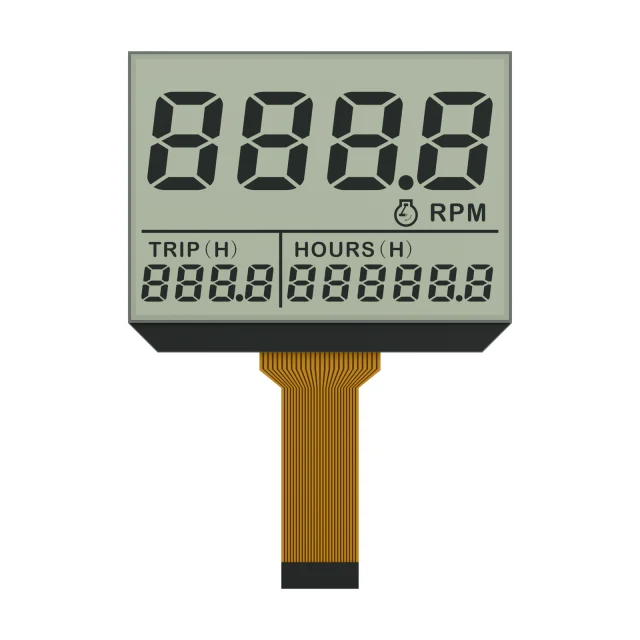
How The Clock Positions Work
Imagine a clock face drawn on the display as it is read. The top edge is 12 o’clock and the bottom edge is 6 o’clock. The viewing direction is the clock position towards which the viewer’s eye is offset from the perpendicular when contrast is best. Drawings may also give intermediate positions; in our catalogue a few references use 1:30, 3 o’clock or 4:30.
Why Twisted Nematic LCDs Have A Viewing Direction
In TN, HTN and STN cells the liquid crystal molecules tilt in one preferred direction when voltage is applied, set by the rubbing direction of the alignment layers and the angles of the polarizers. Light passing through the cell at an angle sees a different optical path depending on whether it travels with or against that tilt. From the preferred side, segments look dark and crisp; from the opposite side, contrast falls and grey levels can invert.
VA and film-compensated displays are more symmetric, and IPS TFTs are designed for wide, nearly symmetric viewing angles. See monochrome LCD types, TN vs IPS and VA vs IPS.
Choosing 6 O’Clock Or 12 O’Clock
| Mounting and use | Where the viewer’s eye is | Usual choice |
|---|---|---|
| Wall-mounted unit above eye level | Below the display | 6 o’clock |
| Handheld or desktop product lying flat or tilted towards the user | In front of the bottom edge, looking down | 6 o’clock |
| Front panel mounted below eye level, such as an appliance or cabinet | Above the display | 12 o’clock |
| Dashboard or vehicle accessory viewed from above | Above the display | 12 o’clock |
| Display rotated 180° in the housing | — | 6 and 12 o’clock swap |
| Viewed from the side, or by several people at once | Left or right | 3 or 9 o’clock, or a wider-angle LCD mode |
Treat the table as a starting point. The right answer depends on the actual eye position relative to the display, including the user’s height, the mounting height and any tilt of the housing.
Examples From The SuccessLCD Catalogue
| Reference | Application | Viewing direction |
|---|---|---|
| S3438D | DFSTN tire-pressure display | 12 o’clock |
| S3961D | HTN thermostat display | 12 o’clock |
| S3419D | HTN motorcycle instrument display | 6 o’clock |
| S3423D | TN water-meter display | 6 o’clock |
| S3960D | HTN fuel-dispenser display, static drive | 1:30 |
| S3665D | TN fuel-display panel | 3 o’clock |
| S3675D | HTN motorcycle instrument display | 4:30 |
How To Check The Viewing Direction Before Production
- Build a mock-up or use the first samples in the real housing at the real mounting height.
- Look at the display from the typical eye position, and from the extreme positions users will adopt.
- Check contrast at the temperature extremes, because contrast and viewing angle both change with temperature and drive voltage; see duty, bias and LCD voltage.
- Confirm the viewing direction on the LCD drawing together with the artwork orientation, so that a rotated display does not end up with the wrong direction.
For a custom segment LCD, SuccessLCD sets the viewing direction with the artwork, polarizer type and drive condition, based on how the display will be mounted in your product.
Video: LCD Viewing Direction, 6 O’Clock vs 12 O’Clock
This SuccessLCD explainer shows how the clock position on an LCD drawing works, why TN, HTN and STN glass has a preferred viewing side, how to choose 6 or 12 o’clock for your mounting, and real examples from the SuccessLCD catalogue.
Viewing Direction FAQs
What does 6 o’clock viewing direction mean?
It means the display has its best contrast when the viewer’s eye is offset towards the bottom edge of the display, for example when the display is mounted above eye level or lies flat in front of the user.
What does 12 o’clock viewing direction mean?
It means the best contrast is seen with the eye offset towards the top edge of the display, typical for a display mounted below eye level that the user looks down on.
Does the viewing direction matter for IPS TFT displays?
Much less. IPS panels are designed for wide, nearly symmetric viewing angles, so drawings often state all directions. Viewing direction matters most for TN, HTN and STN monochrome LCDs and TN TFTs.
Can I change the viewing direction of an existing LCD?
Not after production; it is set by the alignment and polarizer angles in the glass. For custom glass it is chosen at the design stage. Rotating the display 180° in the housing swaps 6 and 12 o’clock.
Unsure which viewing direction your product needs? Send a sketch of the mounting position, viewing distance and eye height. Send your display requirements for an engineering review, or browse monochrome LCD references. For a custom viewing direction on new glass, see custom LCD modules.