
Why an LCD Goes Dark Through Polarized Sunglasses
Put on polarized sunglasses and an otherwise readable LCD may become dim or almost black. Turn the glasses, and the image can return. That change points to an interaction between the display's light and the lenses; increasing the backlight may leave the underlying problem untouched.
For an outdoor equipment designer, this matters before the enclosure and display orientation are fixed. A handheld instrument can be turned. A screen built into a machine usually cannot, and its operator should not need to find a special head angle to read it.
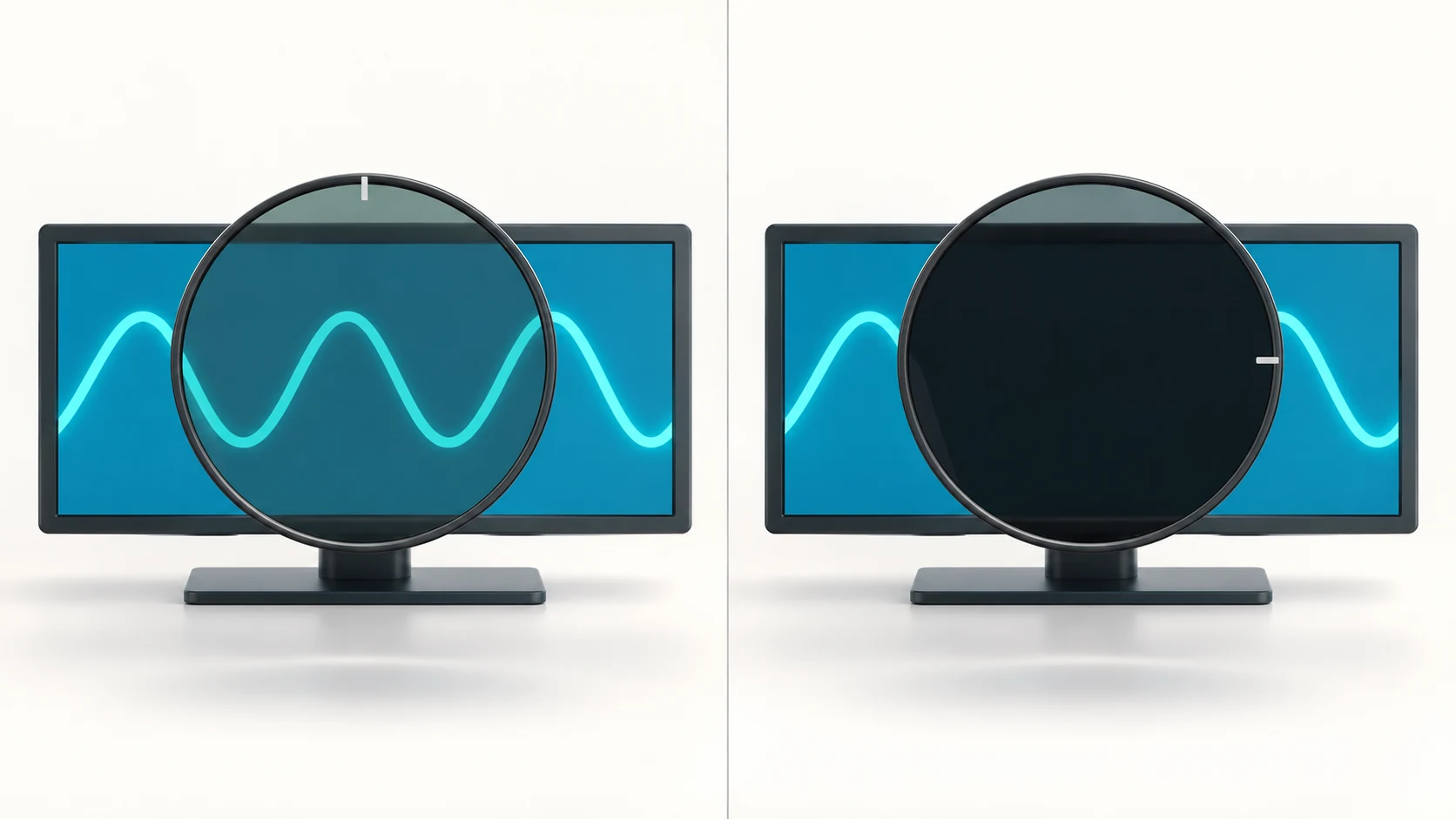
Why the image disappears
Conventional LCDs use polarizers to form an image. When light reaching the sunglasses has a strong linear polarization component, the lens transmits different amounts as its transmission axis turns relative to that component. Near crossed alignment, very little may pass. Real polarizers have losses and leakage, so “black” need not mean zero transmitted light. Edmund Optics describes this relationship and its idealized limits.
The finished display assembly matters. Optical layers in front of the LCD can change the polarization state reaching the eye. Two modules with similar brightness specifications therefore need not behave the same way through the same glasses.
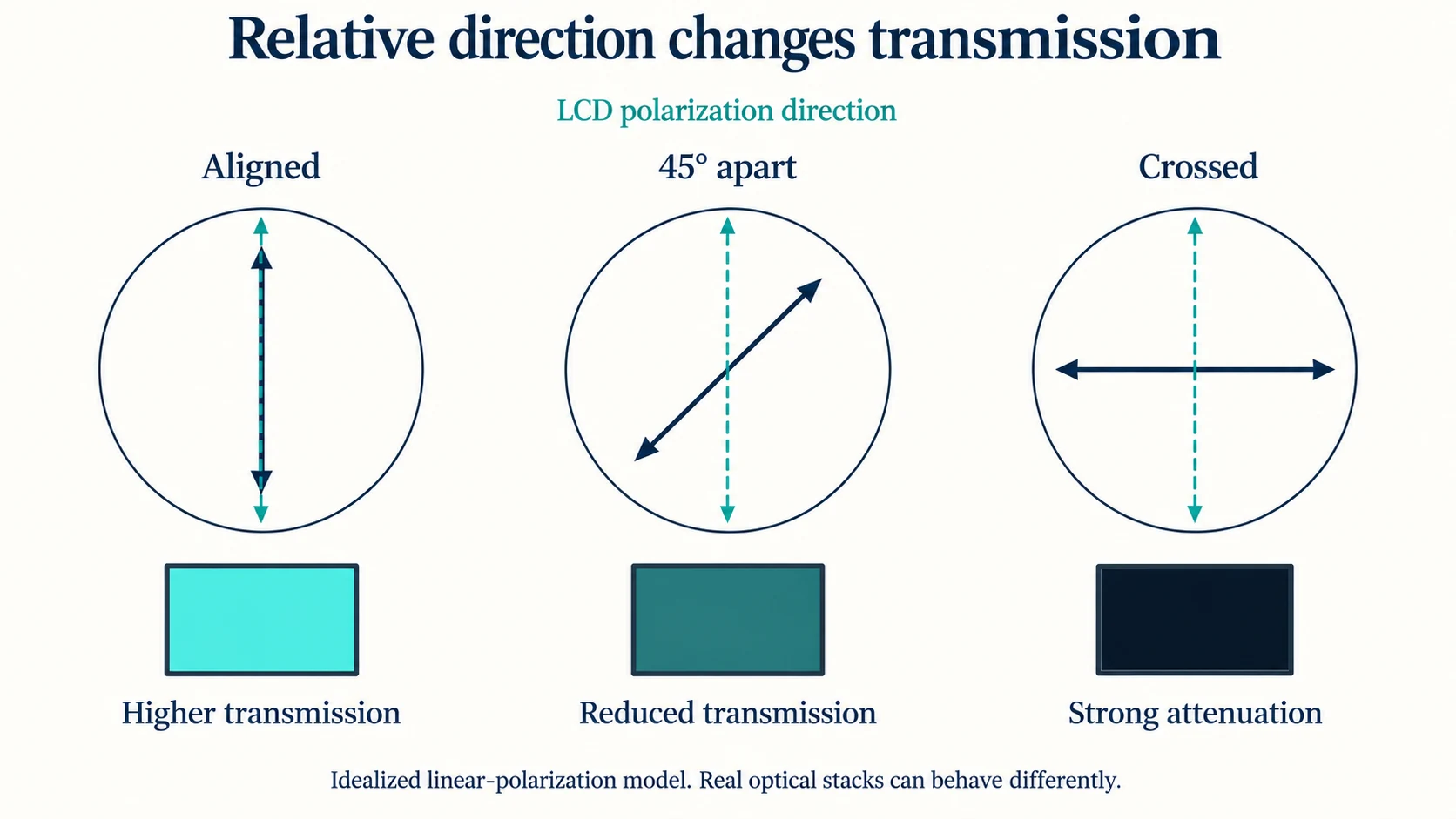
This also explains why changing a software setting is insufficient. Rotating the interface artwork leaves the physical optical layers in place. Physically rotating the module changes their orientation relative to the glasses; moving your viewing position to the side changes another variable again.
What brightness and IPS tell you
A brighter backlight sends more light into the system, but does not rotate the polarization axes. It may make the residual image brighter while still leaving an unacceptable dark position. Start with the cause before paying for additional backlight output. Our discussion of LCD sunlight readability covers the broader brightness and reflection tradeoffs.
IPS addresses viewing-angle behavior, but the IPS label alone does not specify eyewear compatibility. LG's 55XE3P-B specifications list an IPS/M+ panel, 3,500 nits typical brightness, portrait and landscape operation, and a quarter-wave plate as separate features. Those are specifications for that product, not a promise about every IPS module.
A quarter-wave plate is one possible optical solution. With suitable retardance and alignment, it can convert linear polarization to circular polarization, reducing brightness variation as a linear sunglass lens rotates. Performance depends on wavelength, incidence angle and the chosen optical design; adding an unspecified film does not establish compatibility. Edmund Optics explains waveplate selection and polarization conversion.
Optical bonding also needs a separate judgment. Its reflection and mechanical benefits, discussed in our optical bonding versus air-gap comparison, do not establish the output polarization of the assembled display. A bonded sample still needs the eyewear check.
Manufacturers sometimes state that requirement directly: Raymarine describes its Alpha instrument displays as compatible with polarized sunglasses, alongside their wide viewing angles. Look for an explicit claim with an applicable configuration, then check it against your product's use conditions.
Find the weak viewing positions
An initial sample check can be simple. Fix the backlight setting and view white, gray and actual interface content without glasses. Then hold a known polarized lens in front of the same viewing position. Keep the screen and your viewpoint fixed while rotating the glasses around the line of sight.
Sweep continuously through 180° to find the darkest position. For example, use −90° to +90° around the normal worn position. These angles describe how you turn the glasses, not the unknown optical axis of the panel. Record intermediate dark positions rather than checking only a few stops.
That exploratory sweep reveals sensitivity; acceptance should cover the range users actually need. Repeat in each supported physical mounting orientation, then check the expected viewing positions and head tilts. Use several identified eyewear samples representative of the application. A pass with one pair at one angle leaves the other conditions untested.
Evaluate the final touch panel, cover lens and permanent optical films together. Remove temporary shipping film as the supplier instructs. Under representative lighting, check whether the smallest required text and important status indications remain distinguishable. If you photograph comparisons, keep exposure fixed; automatic exposure can conceal how much darker the image became.
This is a proposed screening approach, not a qualification standard. Agree on the required tasks and viewing range before comparing candidate displays, and repeat affected checks when the optical assembly changes.
What to put in the RFQ
State that operators use polarized eyewear, then give the supplier the mounting orientation, viewing positions, expected head movement, front-cover configuration and representative glasses. Describe what must remain readable, including the relevant backlight modes and ambient conditions. Pacific Display's custom-LCD design guidance likewise asks customers to declare polarized-sunglass use during specification.
For a SuccessLCD project discussion, bring those conditions and any repeatable sample observations. They give the supplier a defined optical problem to evaluate and give your team a concrete basis for accepting the finished assembly.


